The Non-Engineer's AI Stack: Why Claude and Copilot Are Enough for Most Leaders

The AI vendor landscape in 2026 is noisy in a specific way. Every SaaS has added an "AI assistant." Every category has fifty startups claiming to own it. The temptation is to pilot everything, which leads to the familiar outcome: a dozen half-adopted tools, no clear wins, and a team that quietly stops using any of them.
The alternative is a stack that covers the two jobs most businesses actually need:
Thinking work — drafting, analysis, research, synthesis, judgment calls, customer communication. This is where Claude sits comfortably. Its strength is careful reasoning over messy, real-world inputs.
Organizational work — the documents, emails, meetings, spreadsheets, and presentations that are the actual substrate of how your business operates. This is where Copilot sits. Its strength is being native to the tools your team already lives in.
Used together, these cover roughly 80% of practical AI use cases in a typical mid-sized business. Not 100%. But 80% with two tools you can actually master beats 100% with twenty tools nobody uses.
How to split the work
The clearest rule I've found: if the work lives inside a Microsoft document or tool, default to Copilot. Everything else, default to Claude.
A few common business tasks and where I'd put them:
Task | Tool | Why |
|---|---|---|
Drafting a long client proposal | Claude | Length, nuance, voice matter |
Polishing that proposal in Word | Copilot | Native formatting, tracked changes |
Analyzing an Excel model | Copilot | Lives where the data lives |
Thinking through a strategic bet | Claude | Iterative, exploratory, judgment-heavy |
Summarizing a Teams meeting | Copilot | Already captured the audio |
Reviewing a contract | Claude | Careful reading, risk spotting |
Drafting an Outlook email thread | Copilot | Context is right there |
Writing an article like this | Claude | Voice, structure, pacing |
The split isn't about capability. Both tools are remarkably capable. It's about friction. The tool that's one click away from the work gets used. The tool that requires copying content in and out gets abandoned.
What Claude Skills change for non-engineers
Late in 2025, Anthropic shipped Agent Skills — reusable instruction packages that teach Claude how to handle specific recurring tasks. Install once, runs automatically whenever relevant. No re-prompting.
For a non-engineer, this matters for one practical reason: you can encode your business's way of doing things without writing code. Your brand voice. Your pricing policy. Your proposal template. Your compliance disclaimers. All live as plain-English instructions in a file, and Claude applies them consistently.
I've authored a handful of these for my own consulting practice — one for discovery-call notes, one for proposal drafting, one for internal briefs. Each took an afternoon. Each saves hours per week. The authorship itself is the work: if you can write down how you want something done clearly enough that a skilled new hire could follow it, you've written a skill.
This is the point where the "I'm not technical" objection stops holding. Writing a skill is closer to writing a standard operating procedure than writing code.
What Copilot quietly does well
Copilot takes a lot of grief in public discourse, often unfairly. For the specific job of "making existing Microsoft workflows faster," it's extremely good, and most businesses don't use half of what they're paying for.
Excel analysis without formulas. Copilot in Excel will genuinely analyse a messy dataset in natural language — "show me which customer segments are driving the margin decline" — and produce a usable answer.
Meeting follow-through. Copilot in Teams captures action items and drafts follow-up emails with decisions and owners. The adoption gap here is cultural, not technical.
Document version reconciliation. Copilot in Word reliably summarises changes between versions, the single most annoying manual task in any document-heavy workflow.
What actually determines success
Tool choice is the easiest part. Three things predict whether this works:
Someone owns the rollout. Not IT. A senior operator who actually uses the tools and has permission to change how the team works. Without a named owner, adoption plateaus at "people who are naturally curious."
The first use cases are boring. The instinct is to pilot the most ambitious use case — the customer chatbot, the autonomous agent. That almost always fails. The use cases that build muscle are boring: meeting summaries, email drafts, status reports, proposal formatting. Win the boring use cases first.
Governance comes before scale. Who can use what. What data can go where. What needs human approval. One page, written before you roll out to the whole team.
Where this stops being enough
I want to be honest about the ceiling. This stack works well up to a certain complexity, then it doesn't.
If you're building agents that run autonomously against your production systems — executing trades, modifying customer records, making commitments on your behalf — you're past the Claude-and-Copilot comfort zone. Anthropic's Managed Agents, launched April 2026, is built for exactly this, but it's developer-facing and not a drop-in for most SMBs.
If you're processing regulated data at volume — healthcare records, financial transactions, legal holds — governance and audit requirements argue for purpose-built tools.
But if you're a professional services firm, a marketing team, a sales organisation, a consulting practice, a small law or accounting firm, an ops team — this stack is almost certainly enough for the next 18 months. What stops you isn't the tools. It's the discipline of using them well.
The honest starting point
Buy a single Claude Pro or Teams license. Buy a single Microsoft 365 Copilot license. Give both to the most curious person on your team and ask them to spend four weeks using them on real work. At the end, ask three questions: what did you use these for most, what surprised you, and what would you want to scale.
Then scale based on their answer, not based on what a vendor told you.
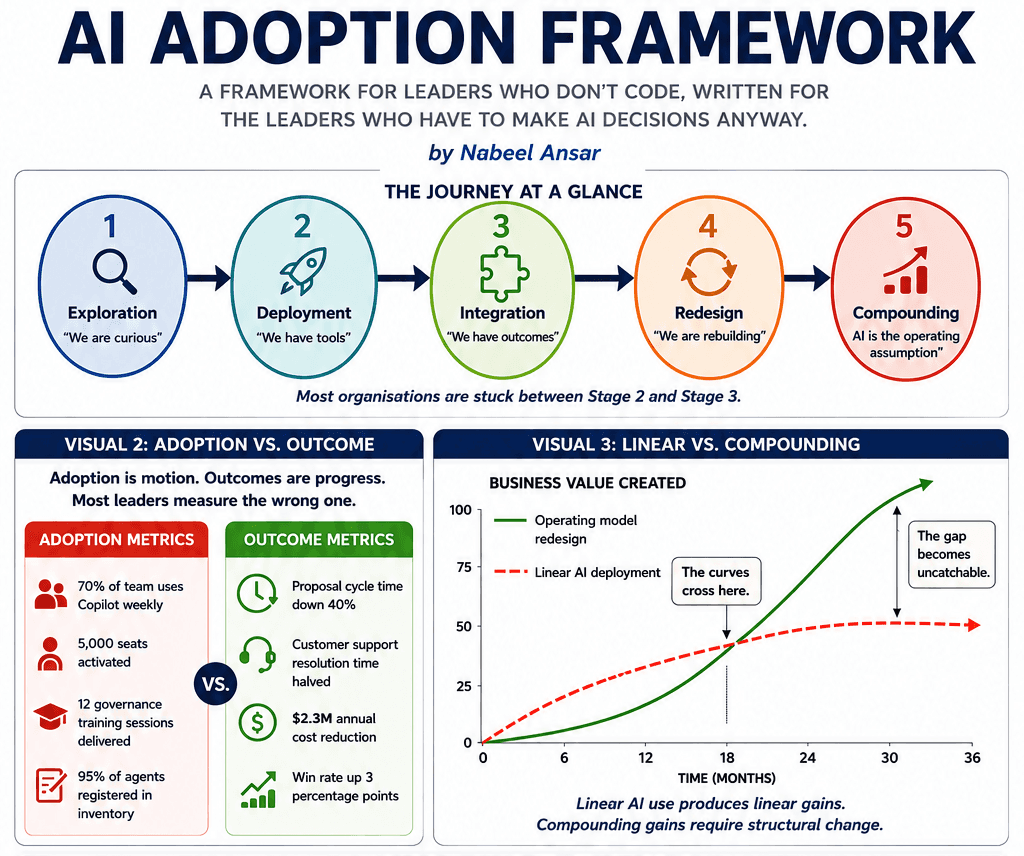
The companies I've watched do this well share one trait: they treat AI adoption as a habit-building exercise, not a tooling purchase. The tools are already good enough. The question is whether your organisation develops the muscle to use them.